


You send the invoice, mark it in a spreadsheet, forward a copy to accounting, and wait. When the due date passes, you search through email to find the right contact, check the bank manually, and update another system. The work is complete, but getting paid has become a small project of its own.
That pattern is common among agencies, consultants, trades, and growing SMEs. The problem usually isn't the invoice template. It's the gap between the quote, delivery, payment, and accounting record. Every disconnected handoff creates another opportunity for delay, duplication, or an overlooked reminder.
A 2025 QuickBooks-based report found that 56% of U.S. small businesses were owed money from unpaid invoices, with an average outstanding amount of $17,500 per affected business, and nearly half of those invoices were more than 30 days overdue. Industry coverage of the report shows why small business software invoicing has become an operational priority, not an administrative convenience.
The practical question is therefore larger than “Which invoicing app has the nicest template?” You need to know how information moves from a quote into an invoice, how reminders are triggered, how payments are matched, and how VAT and reporting stay accurate. Zynthoro provides the throughline for that connected approach, while the principles below give you a framework for judging any solution.
Table of Contents
- Introduction Why Invoicing Still Slows Small Businesses Down
- What Small Business Invoicing Software Really Does
- Essential Features Every SME Should Expect
- How to Choose the Right Invoicing Solution
- Automating Workflows and Staying Compliant Across Borders
- How Zynthoro Connects Invoicing to Your Whole Business
- Next Steps to Get Paid Faster With Less Admin
Introduction Why Invoicing Still Slows Small Businesses Down
An owner completes a client project on Friday and expects to invoice that day. Instead, the final amount sits in a project-management tool, the approved quote is in a sales folder, the billing address is in email, and accounting holds an older customer record.
By Monday, someone has retyped the details into an invoice template. The document is sent without a payment link. The customer requests a correction, accounting records the transaction later, and the owner cannot see whether the invoice was opened or paid. Follow-up then becomes detective work, with no clear answer about whether the delay sits with the customer, payment processor, or internal records.
The hidden cost is cycle time. Each handoff adds checking, waiting, and another chance for information to drift. A connected ERP keeps the quote, delivery, invoice, payment status, and accounting entry tied together, so teams spend less time sending reminders and reconciling gaps.
Invoicing speed alone isn't enough. A quickly issued invoice can still delay cash if its terms are unclear, its payment method is inconvenient, its reminder is missed, or the bank receipt is matched incorrectly.
Practical rule: Treat every invoice as one event in a quote-to-cash workflow, not as an isolated PDF.
The financial pressure is concrete. A QuickBooks-based report found that 56% of U.S. small businesses had unpaid invoices, with $17,500 outstanding on average among affected businesses, and nearly half of those unpaid invoices were more than 30 days overdue. Read the cited late-payment coverage for the underlying context.
Small business software invoicing should therefore be judged by workflow continuity, not template appearance. The right setup connects sales, delivery, payment collection, reminders, and reporting. Zynthoro supports that connected approach, while this guide explains the features and operating principles SMEs should assess, including the added requirements faced by European businesses working across borders.
The goal is fewer handoffs, clearer ownership, and records that remain ready for review.
What Small Business Invoicing Software Really Does
A customer approves a quote on Monday. By Friday, someone has copied its details into an invoice, emailed a PDF, checked a bank statement, and updated a spreadsheet. Each handoff adds waiting time and creates another place for an amount, tax detail, or payment status to go wrong.
Small business invoicing software keeps the quote-to-cash chain connected:
- Quote: Products, services, prices, taxes, and terms form the offer.
- Approval: The customer accepts the commercial details.
- Invoice: Approved information becomes a bill without re-entry.
- Delivery: The customer receives the invoice with a usable payment option.
- Payment: The system records the settlement and updates the invoice status.
- Reconciliation: The payment matches the correct customer and transaction.
- Reporting: Receivables and cash records reflect the completed activity.
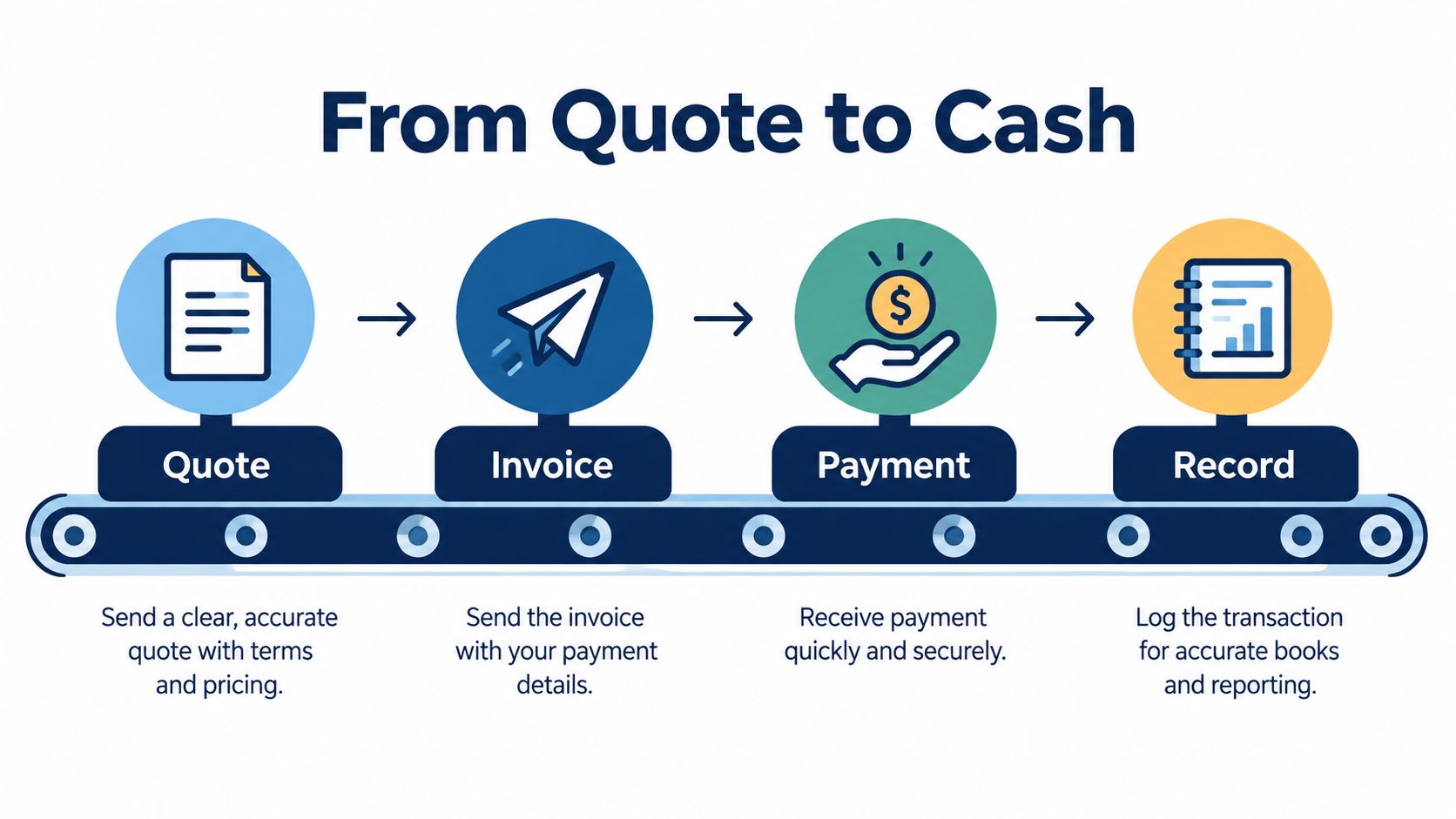
A standalone billing app may produce and deliver an invoice effectively. A connected system carries the same customer, order, tax, and payment information through the full sequence. That continuity prevents duplicate customer records, missing tax details, incorrect totals, and status updates that arrive too late for the finance team to act.
The move away from spreadsheets has made invoicing software part of the operating foundation for SMEs. The market report estimated that SMEs represented 54.2% of the billing and invoicing software market in 2025, while the global SME base exceeded 400 million enterprises. The market report provides context for that shift.
Cloud access changes the operating model
Cloud-based software removes the need to depend on one office computer or locally stored files. An owner can review receivables, a salesperson can confirm an approved quote, and a finance employee can reconcile payments from the same current records.
That shared access also supports subscription-based deployment and remote work. In the same 2025 market, cloud-based solutions held 72.5% of the global small business invoicing software market. The same analysis links cloud adoption with faster deployment and access from different locations.
Finance professionals managing documents across clients can also review resources on digital tools for CPAs to see how document workflows fit into broader accounting work.
Zynthoro treats invoicing as part of an ERP workspace. Quotes, customers, invoices, accounting, and operational records can use the same data model, so an approved quote can continue toward payment without becoming a fresh data-entry task.
Essential Features Every SME Should Expect
A client approves a quote on Monday, the work finishes on Friday, and payment arrives weeks later. The delay often begins between those points. A quote sits in one tool, invoice details are retyped in another, reminders live in an inbox, and the bank transaction waits for manual matching. Good invoicing software keeps that quote-to-cash chain together.
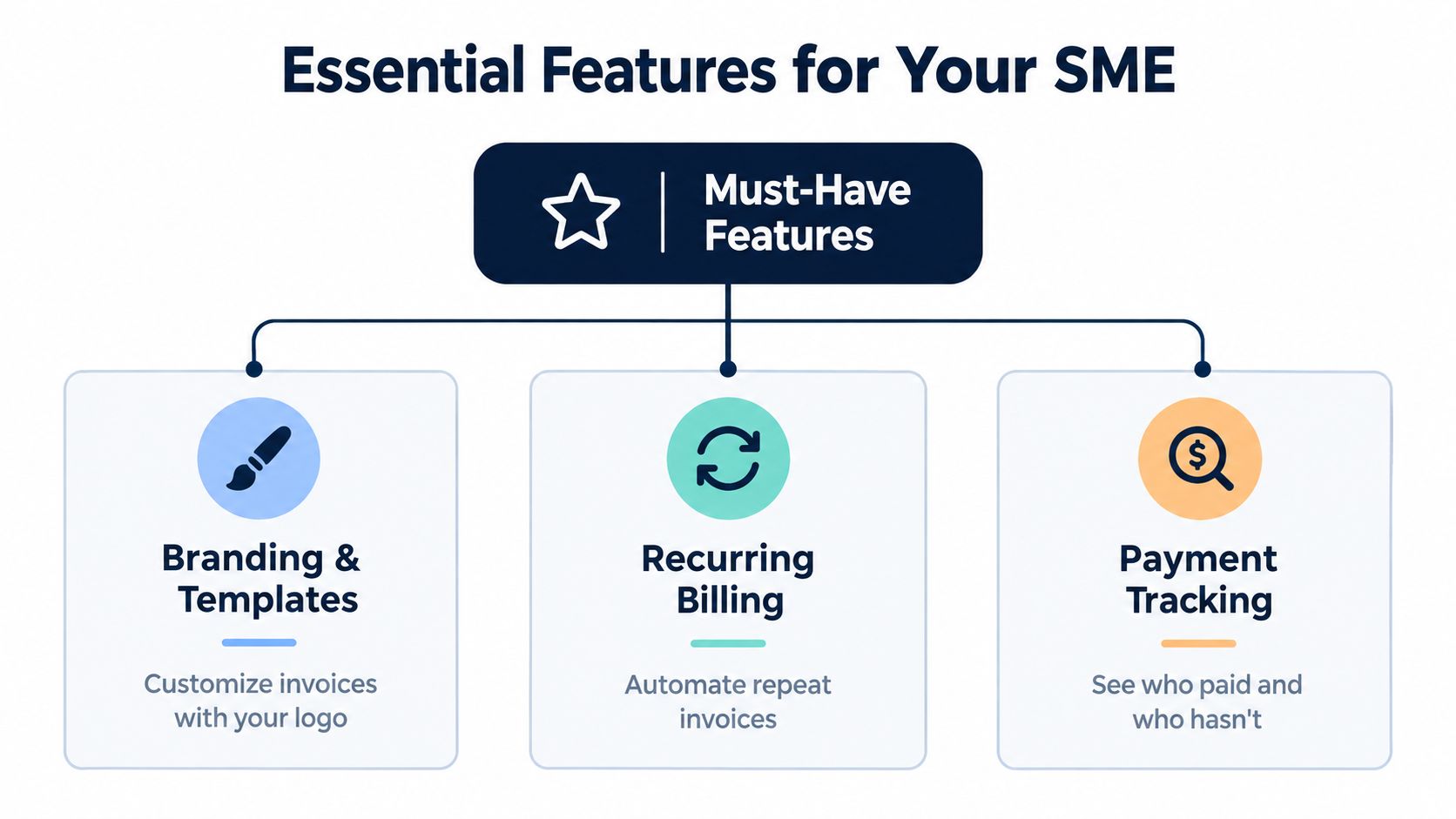
A polished document remains useful, but it is only one part of the workflow. The invoice should include your business details, customer information, invoice number, issue date, due date, itemized products or services, taxes, payment instructions, and total due. Branding supports recognition, while clarity matters more than decoration because clear terms reduce questions and approval delays.
Automation should follow the customer relationship
Recurring billing suits retainers, maintenance agreements, memberships, and other repeat services. Set the customer, service, schedule, amount, and terms once. The system can then create each invoice according to those rules, rather than asking someone to rebuild it every cycle.
The workflow should also handle delivery and reminders. A consultant could send an invoice on the final day of a project, issue an automatic reminder before the due date, and send a firmer follow-up after it becomes overdue. Connected records prevent repetitive email searches and reduce the handoffs that stretch collection time.
Payment visibility closes the loop
A useful system shows whether an invoice is drafted, sent, viewed, partially paid, paid, disputed, or overdue. It should also place the available payment method directly on the invoice, so the customer does not need to request instructions separately.
Late payment ties up working capital. A 2026 survey found that 59% of U.S. small businesses had invoices overdue by 30 or more days, affected businesses were owed an average of $17.7K, and 49% said normal payment-processing times created critical or moderate cash-flow gaps. QuickBooks' late-payment report shows why tracking payment status and reconciling receipts belong in the same process as invoice creation.
Finance controls prevent small errors from becoming expensive
Look for:
- VAT handling: Apply relevant tax treatment consistently and retain the details finance teams need.
- Audit trails: Record who created, changed, approved, sent, or reconciled each invoice.
- Bank and accounting connections: Match incoming funds with open invoices without exporting files.
- Receivables reporting: Show aging, outstanding balances, and expected cash clearly.
- Mobile access: Let authorized staff review or approve invoices away from the office.
- Role-based permissions: Separate invoice creation, approval, and payment administration appropriately.
Automation should shorten the path to payment and give the owner control of cash flow, without turning every follow-up into a personal task.
For businesses comparing Zynthoro options, Kickstarter 2 is listed at €149 one-time with lifetime access, 150 credits per month, Finance & Invoicing, a Sales module, an AI photo/video suite, and everything in K1.
How to Choose the Right Invoicing Solution
A customer approves a quote on Monday. By Friday, someone has copied its details into an invoice, checked a spreadsheet for payment, and emailed finance to confirm the transfer. Each handoff seems small, but together they lengthen the quote-to-cash cycle and create places for errors to hide.
Choose the system that removes those handoffs. Occasional billing may fit a standalone invoicing app. A business that connects sales, projects, inventory, accounting, and collections needs shared data across the whole workflow. Adding another isolated tool can leave the original problem intact.
| Criteria | Standalone Invoicing App | Connected Accounting Suite | All-in-One ERP like Zynthoro |
|---|---|---|---|
| Data entry duplication | Often remains when quotes or payments live elsewhere | Reduced between billing and accounting | Connects sales, invoicing, accounting, and operations |
| Integration effort | May need connectors or manual exports | Usually strong for finance workflows | Uses a shared workspace and connected modules |
| Total SaaS cost | Can rise as separate tools are added | Consolidates some finance functions | May replace several disconnected categories |
| Scalability | Fits a limited workflow | Supports growing finance needs | Fits SMEs coordinating several business areas |
| Compliance readiness | Depends on local features and integrations | Usually stronger for accounting records | Provides accounting, VAT handling, audit trails, and compliance controls |
| Operational visibility | Focuses mainly on invoice status | Provides broader financial visibility | Links commercial, financial, project, and operational context |
Recent coverage describes SMEs replacing spreadsheets and email approvals with structured workflows, while showing the difference between billing software and a complete quote-to-cash process. This guide to small business invoicing software captures that shift.
Test the workflow before you switch
Ask vendors to demonstrate one real transaction rather than presenting a feature list. Give them an approved quote and ask how it becomes an invoice. Then change the customer's billing address, record a partial payment, dispute one line, and send a bank transfer with an unclear reference. A useful platform should show where each change is recorded and who must act next.
Also check whether CRM records, bank feeds, accounting entries, and invoice statuses use the same source of truth. Ask how the system handles VAT, audit logs, permissions, data export, and customer support in the jurisdictions where you operate.
Agencies and consultants should test time tracking, project billing, retainers, and reporting across clients. Product businesses should test inventory, purchasing, order status, and whether the invoice matches the actual fulfilment record.
A multi-client team comparing a broader non-ERP suite might review Agency, listed at €1,199 per month with full accounting and inventory, project management and marketing, 5 company workspaces, 25 users, and team structures. The snapshot states that it is not an ERP.
The strongest shortlist removes re-entry from your highest-volume workflow. A low-cost invoice generator can cost more in staff time when every quote still needs copying and every payment needs manual reconciliation.
Automating Workflows and Staying Compliant Across Borders
A consultant approves a quote on Monday, sends the invoice on Tuesday, and waits for payment. In a fragmented setup, each handoff creates another place for a date, tax detail, or payment status to go missing. A connected workflow keeps the chain intact: approval creates the invoice, sending stores the due date, an approaching deadline schedules a reminder, and an incoming payment is matched to the open receivable.
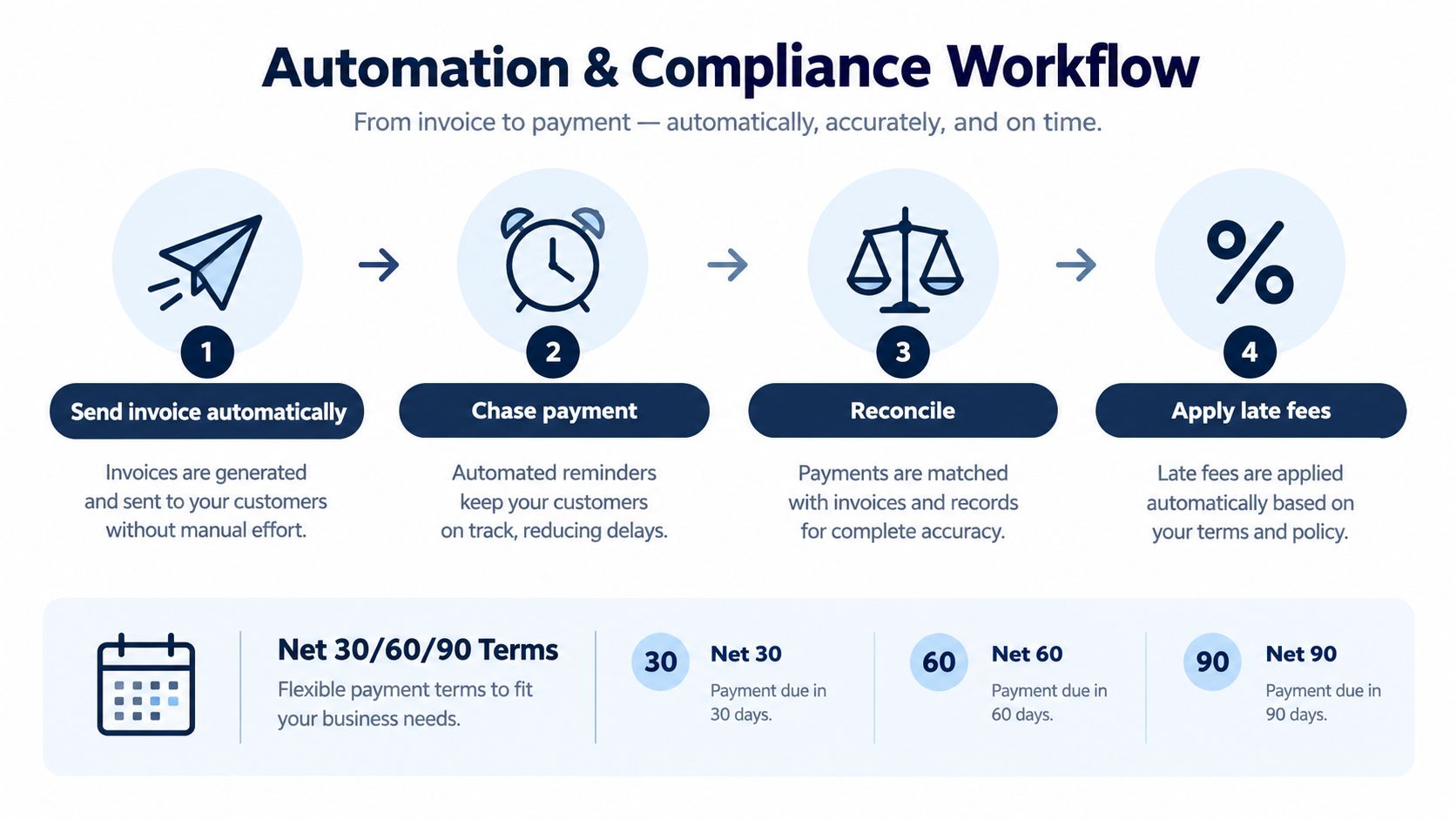
With net 30 terms, the invoice states that payment is due within 30 days. The customer receives a reminder before the deadline, and the system flags the invoice as overdue if settlement does not arrive. Net 60 and net 90 use the same logic, with the due date calculated from the issue date instead of left to someone's memory. Stripe's guide to net payment terms explains these definitions and why late-fee policies should be stated clearly.
Build the collection sequence into the invoice
A useful workflow separates polite reminders from escalation. It records each message, avoids duplicate chasing, and gives the owner a current view of receivables aging. That continuity matters because collection work often breaks down between the invoice system, email, bank feed, and accounting ledger.
EU payment rules add a legal dimension. The European Commission's impact assessment states that enterprises generally have to pay invoices within 30 days, with an extension to 60 days possible when expressly agreed and not grossly unfair to the creditor. It also says that a flat-fee compensation of at least EUR 40 per overdue invoice should apply automatically once the debtor is late. The Commission document provides the relevant context.
Software can surface these rules during setup and collection, while your business still needs appropriate contractual and legal review. Preserve the original terms, later changes, approvals, and reminders in an audit trail so a dispute can be reconstructed.
Prepare for structured e-invoicing
The European Commission says electronic invoices are legally equivalent to paper invoices. For most B2B supplies, an invoice is required for VAT purposes, and public administrations must accept structured electronic invoices for B2G transactions. The Commission's invoicing guidance explains these requirements.
The EU's VAT in the Digital Age package is scheduled to make e-invoicing the default system for intra-Community transactions from 1 July 2030, with EN 16931 mandatory for those invoices. The EU standardisation overview also notes that Member States may introduce mandatory domestic e-invoicing under specific conditions.
For a small manufacturer selling across borders, compliance means more than adding a logo and tax number. The system must preserve structured invoice data, apply the relevant VAT treatment, retain an audit trail, and support the formats customers and authorities require.
Finance teams and data capture also matter when bank information must become reliable records for reconciliation. A connected ERP reduces the gap between money arriving, the transaction being identified, and the invoice being marked paid.
Zynthoro's Kickstarter is listed at €79 one-time with lifetime access, AI Assistants, 50 credits per month, Planning & Time Tracking, a Communication module, and Canva Studio.
How Zynthoro Connects Invoicing to Your Whole Business
A signed quote should not become a fresh data-entry task. In Zynthoro, invoicing sits inside an AI-native ERP workspace, so a sales administrator can retain the customer and line-item details, secure approval, and pass the transaction into billing without rebuilding it.
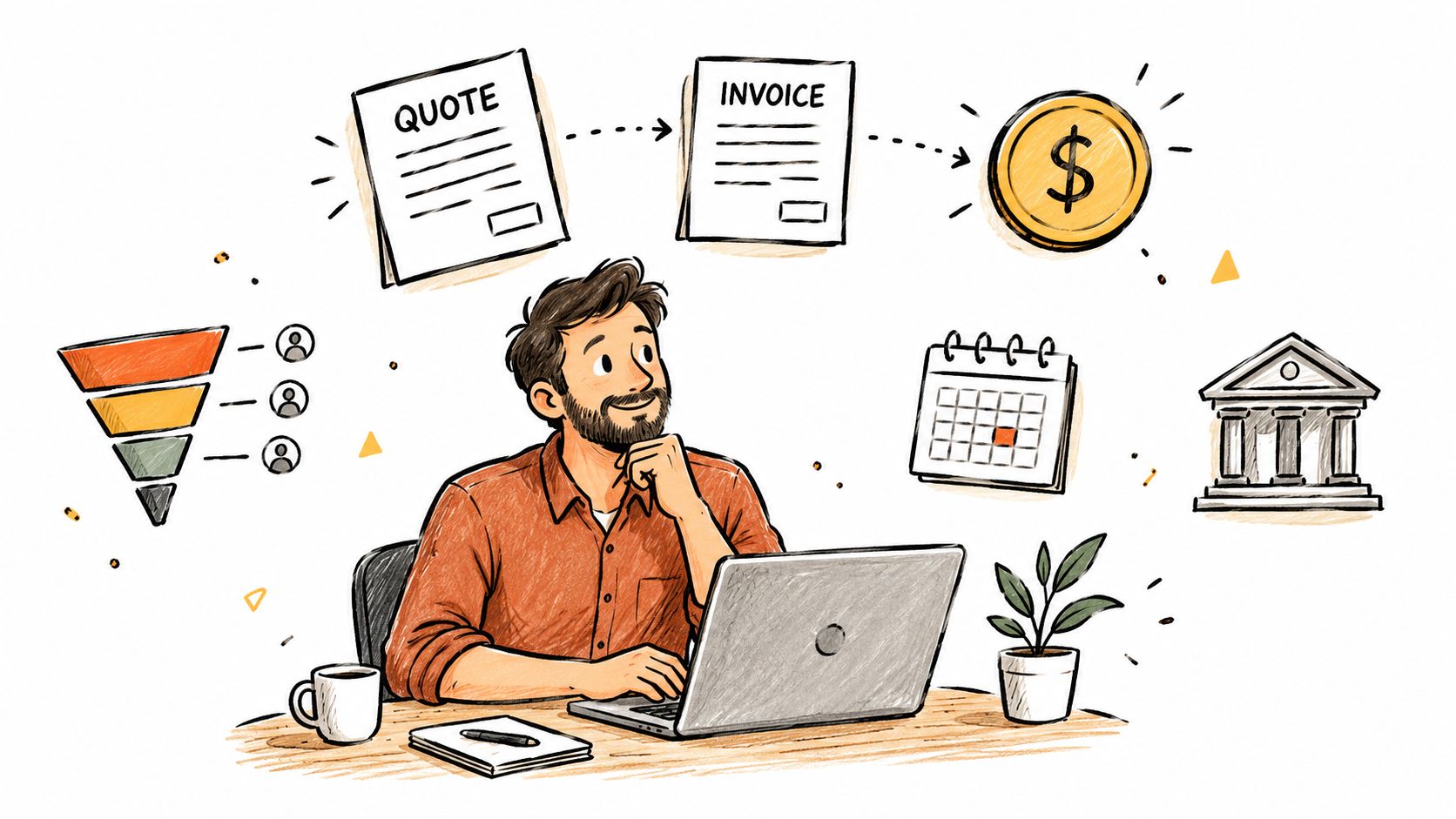
The finance workflow can send invoices, issue reminders, and support reconciliation. Accounting keeps the live ledger and VAT handling aligned with the commercial record. Projects, purchasing, inventory, and reporting can use the same information instead of waiting for a spreadsheet update.
That continuity removes hidden cycle-time costs. Each handoff between sales, delivery, billing, and finance creates another chance to retype a value, miss a reminder, or record a payment late. A connected record keeps the quote-to-cash chain intact while still leaving room for review and approval.
For a digital agency, a signed client quote can connect to project work, tracked time, recurring billing, payment status, and client reporting. The owner can see whether the work was billed and whether the payment was recorded, without asking separate teams to reconstruct the timeline.
A food-production SME follows a different chain. A customer order may depend on recipes, multi-level bills of materials, work orders, quality checks, lot traceability, and cost roll-ups. Linking invoicing to these records lets finance bill from what the business fulfilled, rather than from a manually reconstructed summary.
Zynthoro connects domains across finance, operations, sales, marketing, HR, production, projects, communication, planning, and compliance. Its EU-hosted environment includes GDPR-ready controls, audit trails, and role-based access. Embedded AI assistants and voice input support hands-free work across devices.
The practical result is fewer handoffs and fewer repeated entries. A connected workspace does not replace sound accounting policies. It gives each team the same underlying facts, so exceptions can be reviewed without losing the transaction's history.
A short product walkthrough can help owners assess whether this model fits their process:
Electronic invoices have the same legal standing as paper invoices, and structured electronic invoices must be accepted for B2G transactions. As noted earlier, that makes a connected record useful beyond convenience. It helps keep commercial and financial documentation consistent from the approved quote through payment and reconciliation.
Next Steps to Get Paid Faster With Less Admin
Start by mapping one real customer journey. Write down where the quote is created, who approves it, how the invoice is generated, where payment status appears, and how the bank transaction reaches accounting. The gaps will show you more than a generic feature checklist.
Then rank the handoffs by operational cost. A missing payment reminder may affect collections, while retyping every quote may create errors before the invoice is even sent. Prioritize the workflow that repeats most often and involves the most people.
Use this decision checklist:
- Map quote to cash: Follow one transaction from proposal through reconciliation.
- Test automation: Confirm that recurring invoices, reminders, overdue states, and payment updates work together.
- Check compliance: Verify VAT handling, audit trails, structured e-invoicing support, permissions, and data controls.
- Test the integrations: Connect sales, banking, accounting, projects, and inventory where those records affect billing.
- Review the exception path: Ask how the system handles partial payments, disputes, changed terms, credit notes, and failed payments.
The payment delay may only be a few days in a given market, but those days affect planning. Xero reported that in Q4 2025, small businesses were paid an average of 7.8 days late in the U.S., 8.0 days late in the U.K., 6.6 days late in Australia, 4.5 days late in New Zealand, and 9.7 days late in Canada. Xero's Small Business Insights shows why a short-cycle workflow matters even when the delay doesn't look dramatic on a single invoice.
For teams dealing with failed or reversed transactions, guidance on Mara's failed payment recovery can add useful context to the recovery process.
The largest improvement usually comes from removing fragmented work, not from generating a PDF more quickly. When sales, invoicing, finance, and operations share reliable data, your team can spend less time checking what happened and more time acting on what needs attention.
Zynthoro connects quotes, invoicing, accounting, payment follow-up, reconciliation, projects, operations, and compliance in one EU-hosted workspace for SMEs. Map your current quote-to-cash process, identify the handoffs slowing payment, and visit Zynthoro to explore a more connected way to run it.