



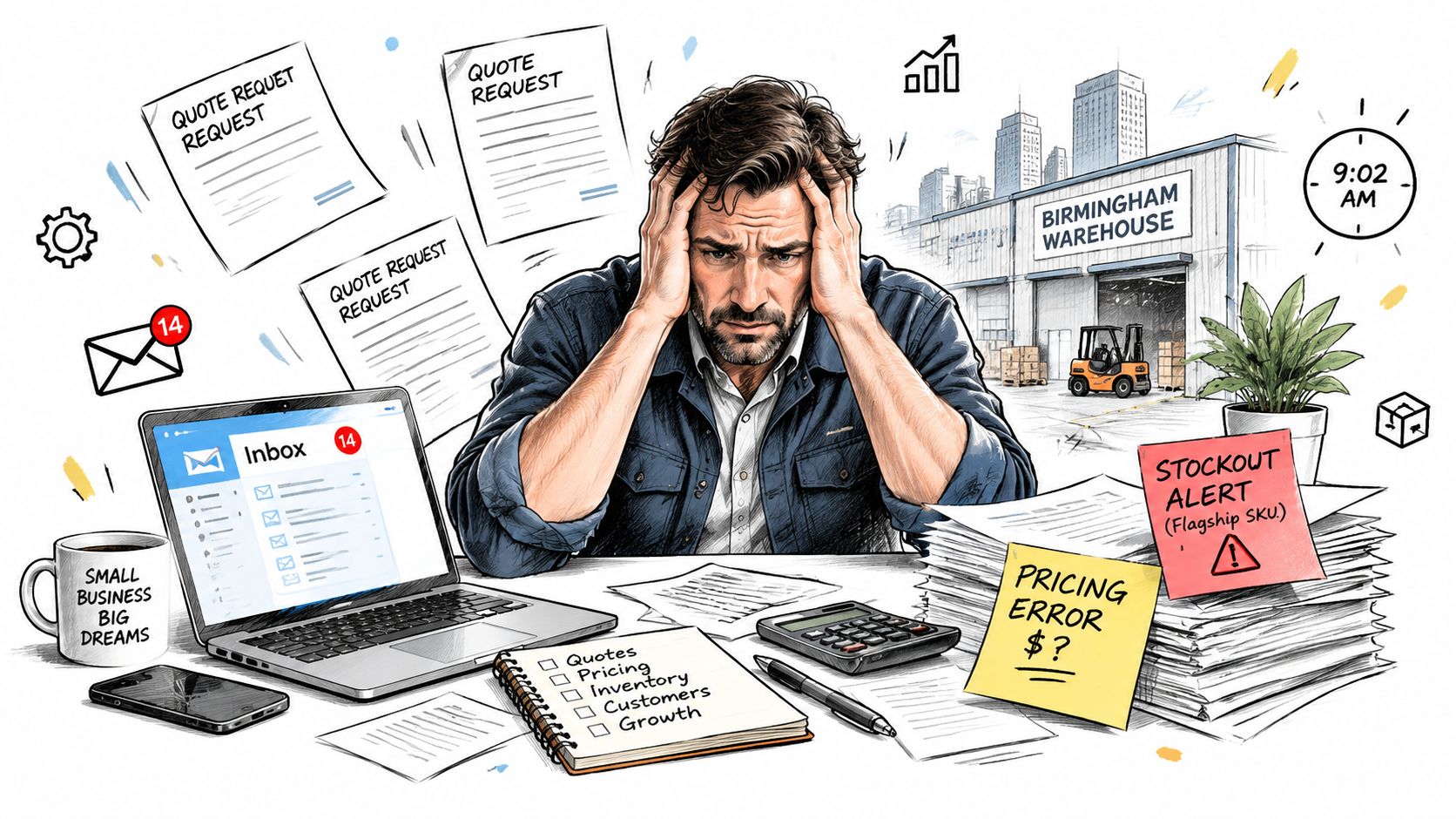
At 9:02 on Monday morning, a 12-person industrial supplier in Birmingham can already be behind. Fourteen quote requests are unread, two Friday quotes contain pricing errors, a flagship SKU is out of stock, and three customers are asking for delivery dates nobody updated. The finance director needs the weekend order book reconciled before noon.
The information exists, but it's scattered. Quote PDFs sit in email, line items live in a spreadsheet, and the CRM pipeline is two days behind. The owner spends the morning copying information between tabs instead of selling.
That's the operational gap a sales administration assistant is designed to close. Whether the assistant is a person, an AI workflow, or a combination of both, the function brings quote drafting, order entry, pipeline updates, customer follow-up, and invoicing into a controlled process. For an SME replacing disconnected tools, the practical question isn't merely whether to hire someone. It's which work should be automated first, which work still needs judgement, and how the full quote-to-cash process should run in one system.
Table of Contents
- The Monday Morning Every SME Owner Knows
- What a Sales Administration Assistant Actually Does
- Human Assistant vs AI Assistant in an ERP
- Inside Zynthoro's Sales Administration Module
- Real Benefits SMEs Feel in the First 90 Days
- Which Sales Admin Tasks Still Need a Human
- Your First Week With an AI Sales Admin Assistant
The Monday Morning Every SME Owner Knows
The owner starts by opening the inbox. One customer wants a revised quote, another has attached a purchase order that doesn't match the agreed price, and a sales representative has asked whether stock is available for a large order. Each request looks manageable in isolation. Together, they create a queue that depends on memory and manual checking.
The traditional response is to add another spreadsheet or ask a sales administrator to chase every loose end. That can help, but only if the information is consistent. If the CRM, inventory file, quoting template, and finance system hold different versions of the truth, the assistant becomes a human bridge between disconnected tools.
A sales administration assistant should remove that friction at the point where it starts. The assistant receives an inquiry, checks the customer record, confirms the relevant product and price, prepares the quote, and records the opportunity. When the customer accepts, the quote becomes an order without another round of copying.
The role has also moved beyond classic clerical support. Job descriptions commonly include reports, customer records, data entry, CRM maintenance, meeting coordination, order processing, and communication across teams, as shown in this sales administrative assistant role description. In a CRM-driven team, the assistant may extract sales reports, coordinate complex schedules, update lead and account records, and protect data quality so sellers can focus on prospects and customers, according to this sales administrative assistant position overview.
For owners who are also building an outbound function, appointment setting deserves its own process. A practical guide to the best place to hire appointment setters can help separate prospecting capacity from the administrative work that follows a qualified conversation.
Practical rule: If a task starts with a predictable input and ends with a repeatable output, it's a strong candidate for automation.
The rest of the operating model follows that rule. Keep exceptions, judgement, and relationship-sensitive decisions with people. Move repetitive checking, copying, reminders, and status changes into an integrated workflow.
What a Sales Administration Assistant Actually Does
A useful definition starts with the transaction, not the job title. The sales administration assistant owns the operational steps that move a prospect from inquiry to quote, from accepted quote to order, and from order to payment.
Quote preparation
The assistant collects the current customer details, product information, price rules, and availability. It then creates a branded quote with the right quantities, terms, delivery information, and expiry conditions.
For example, a customer asks for equipment and replacement parts. The assistant should identify the correct account, use the approved price list, check stock, and send a quote that the sales representative can review rather than rebuild from scratch.
Order processing
When the customer accepts, the assistant converts the approved quote into a sales order. It checks the purchase order against the quoted lines, confirms the customer details, allocates available inventory, and starts the warehouse or fulfilment process.
This control point matters because sales administration assistants commonly handle order entry for purchase orders, production orders, and transfers, review customer purchase orders for accuracy, send confirmations, and file quotes, as described in this sales order administration job description.
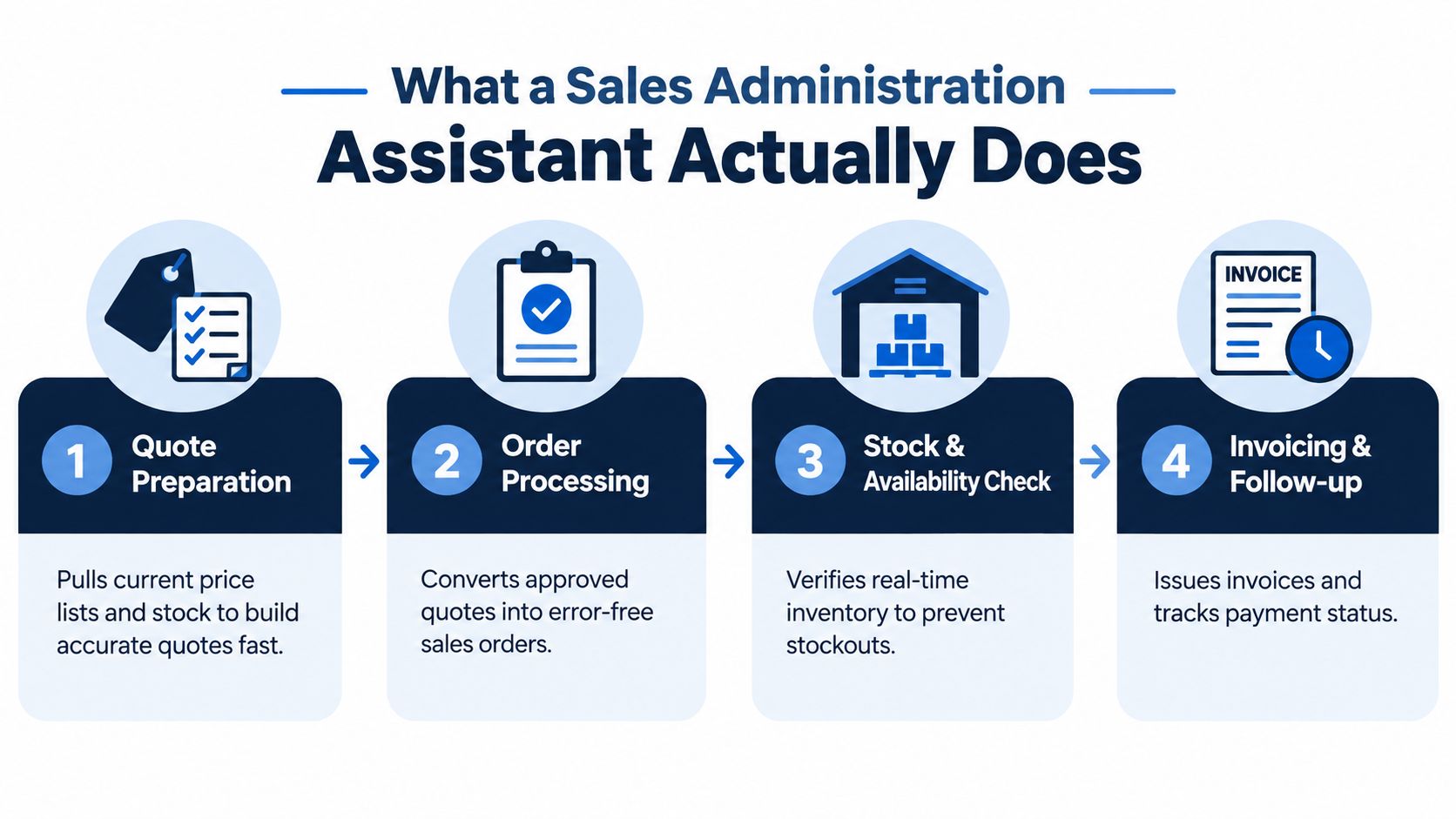
Stock and availability checks
Inventory should be checked before a promise reaches the customer. A strong workflow identifies whether the requested item is available, reserved, awaiting purchase, or subject to a longer lead time.
That prevents the familiar failure where a sales representative sends a confident delivery date based on an old spreadsheet. The assistant can flag a stock conflict for human review while allowing routine availability checks to run automatically.
Invoicing and follow-up
The final administrative layer includes invoice preparation, order acknowledgements, delivery updates, payment tracking, and reminders. Some SMEs place supplier orders, edit invoices, monitor invoicing, and prepare delivery documents within the same sales and administration function, as outlined in this sales assistant job description.
The assistant also protects pipeline hygiene. It can log call notes, update deal stages, remind a representative about an untouched quote, and prepare the order book for month-end reconciliation. For businesses that need a separate appointment-setting capability, sales administration should begin when the qualified lead enters the CRM, not while prospecting is still taking place.
Human Assistant vs AI Assistant in an ERP
A human and an AI assistant solve different parts of the same operational problem. Comparing them only by salary misses the core decision. The better comparison is speed, cost structure, availability, accuracy, and judgement.
| Dimension | Human Assistant | AI Assistant in ERP |
|---|---|---|
| Speed | Handles several requests with context, but must work through each one | Can draft routine quotes, update records, and trigger workflows quickly |
| Cost | Requires salary, training, supervision, and cover for absence | Adds workflow value after the ERP and rules are configured |
| Availability | Works within agreed hours and availability | Can support routine processing across time zones and outside office hours |
| Accuracy | Can spot context and question suspicious information | Applies required fields and rules consistently, reducing copy-and-paste drift |
| Judgement | Handles negotiation, exceptions, complaints, and sensitive customers | Escalates situations that fall outside configured rules |
| Accountability | Can own a decision and explain it to a customer | Executes an approved workflow under defined permissions |
A human is stronger when the answer depends on context. That includes negotiating bespoke contract terms, deciding whether an unusual discount is commercially sensible, resolving a disputed invoice, and explaining a delay to an important customer. These situations need empathy, authority, and accountability.
An AI assistant is stronger at repetitive execution. It can assemble a quote from approved data, convert an accepted quote into an order, update a deal stage, send a standard acknowledgement, and create a reminder when a rule is met. An integrated ERP also keeps the action attached to the underlying record instead of leaving a separate trail in email.
Teams that handle urgent customer calls may also examine specialist tools such as 24/7 voice AI for plumbers electricians. The important design question is where that voice layer hands information into the CRM, quote, order, and customer record.
The best model isn't human versus AI. It's a human owner with an AI executor and clear escalation points.
For Zynthoro, that blended model is the purpose of the Sales Administration module. The system handles repeatable movement through the workflow, while a named person remains responsible for decisions that affect pricing, relationships, risk, or customer trust.
Inside Zynthoro's Sales Administration Module
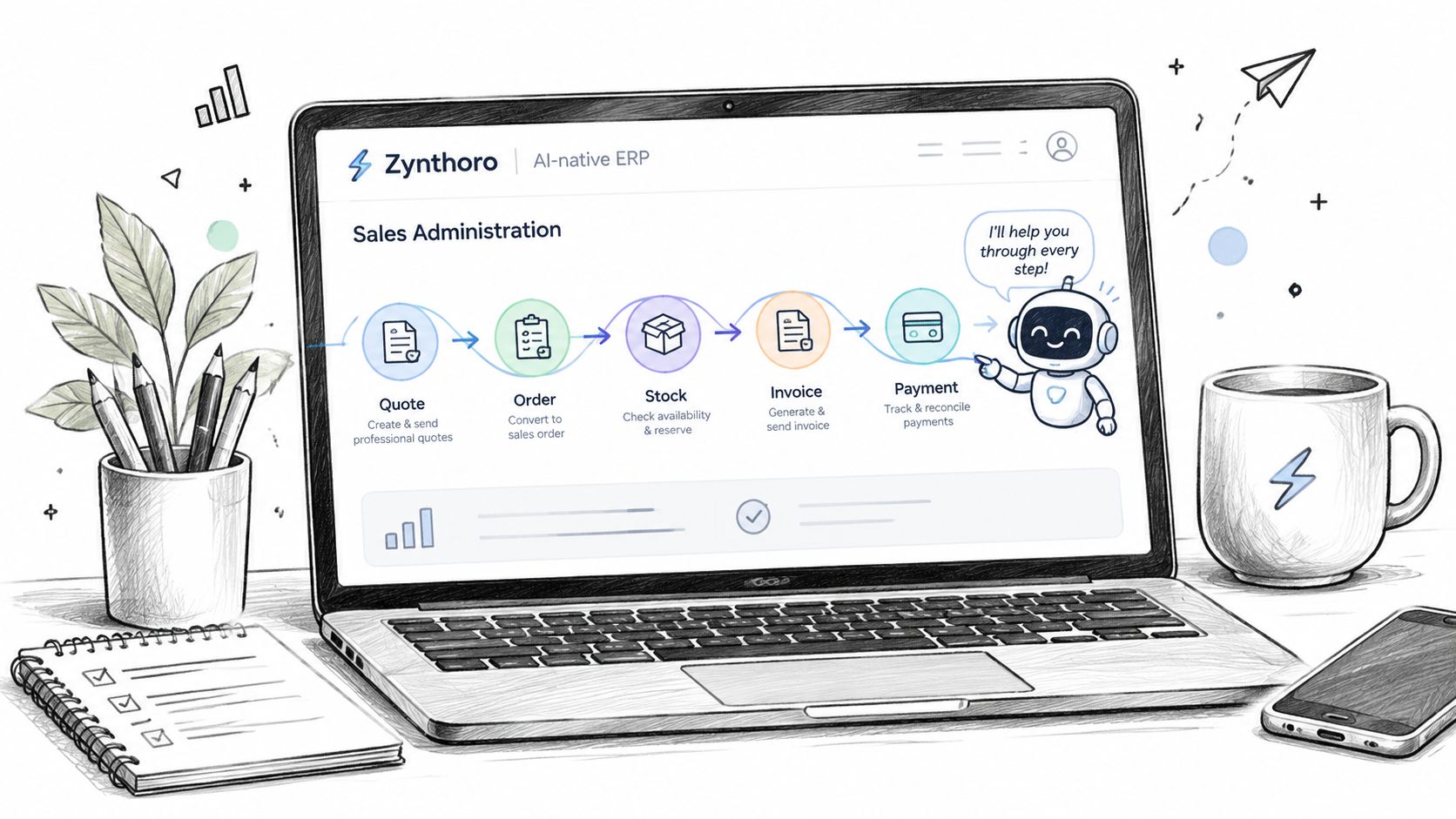
The central advantage of an AI-native ERP is continuity. The customer record, quote, order, stock position, invoice, and pipeline status should describe the same transaction rather than competing versions stored in separate applications.
Quote creation starts with context
A user can begin with a customer inquiry or an internal prompt. The assistant uses the available customer history, product information, and configured pricing logic to draft the quote. The human reviewer checks commercial details, especially when the request is unusual or the pricing needs discretion.
The activation rule is simple. A new quote request triggers the draft. Missing customer data, unclear product details, or a price outside approved limits creates an exception instead of automatically producing a document.
Orders move without re-keying
Once the customer accepts, the approved quote becomes a sales order. The workflow carries over the customer, lines, prices, terms, and delivery details. A background availability check then identifies whether inventory can be allocated or whether a person needs to approve an alternative.
That removes one of the most expensive forms of administrative waste, entering the same information repeatedly. It also creates a clear audit trail from the original request to the fulfilment instruction.
Pipeline updates happen at the source
A quote acceptance changes the opportunity stage. A lost quote records the reason. A new customer contact updates the account record. These events can refresh the visible pipeline and give the sales team a more reliable view before a forecast meeting.
Follow-ups can use explicit triggers rather than memory. For example, a quote can create a reminder when it has received no response, while a delivery issue can assign a customer-service task to a named owner. The rule should specify the event, the waiting condition, and the person responsible for the exception.
Invoices and reporting stay connected
The same workflow can carry an order into invoicing and payment follow-up. This is relevant because sales administration roles often span quotes, delivery schedules, invoices, CRM records, Xero, after-sales support, and reporting, as shown in this sales administration assistant posting.
Zynthoro also provides connected modules for CRM, quotes, sales orders, invoicing, finance, and operations. For an SME evaluating a fixed-access option, Kickstarter 2 is listed as a €149 one-time option with 150 credits per month, Finance & Invoicing, the Sales module, and an AI photo/video suite.
The setup work is configuration, not guesswork. Define approved price rules, inventory statuses, follow-up conditions, approval limits, invoice triggers, and the fields that must be complete before an order can proceed.
Real Benefits SMEs Feel in the First 90 Days
The first benefits should appear in the records before they appear in a management presentation. A useful owner checks whether quotes leave the system faster, whether orders require fewer corrections, and whether finance can reconcile sales activity without reconstructing it from email.
APQC's sales and order management assessment evaluates measures such as sales orders managed per full-time equivalent and the total cost of sales-order processing. That gives SMEs a better lens than headcount alone. Measure throughput, processing cost, and exceptions using the APQC sales and order management assessment.
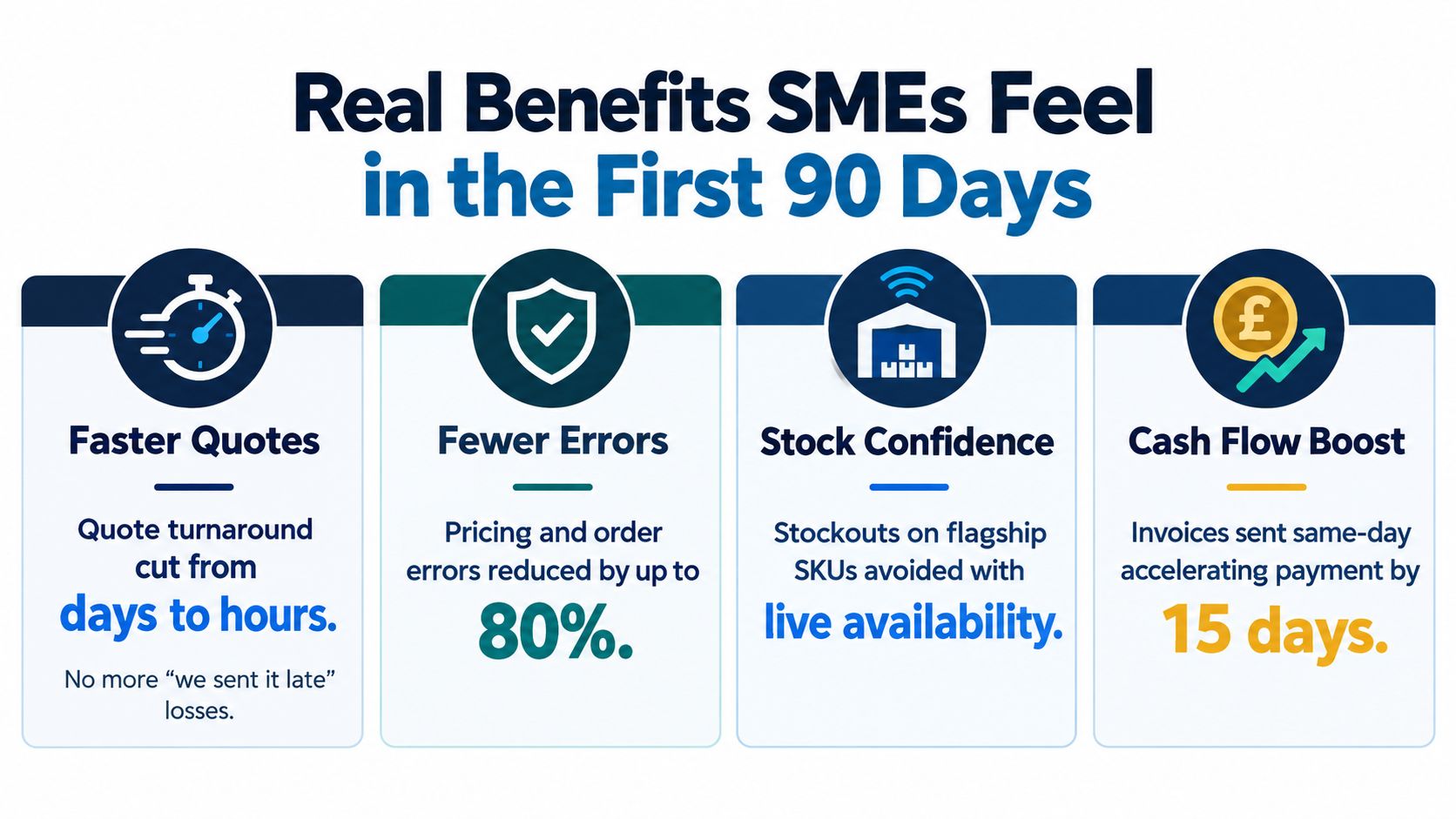
Faster quote handling
Track the time from a complete inquiry to a review-ready quote. An integrated assistant can pull approved data into a draft instead of waiting for someone to find the right spreadsheet, copy the line items, check inventory separately, and format a PDF.
The improvement is visible as a shorter queue and fewer customer messages asking whether the quote has been sent. Don't claim a commercial lift before the data supports it. First measure the operational delay you're removing.
Fewer order corrections
Record every order that needs a change because of an incorrect SKU, price, quantity, customer address, or purchase-order mismatch. The quote-to-order conversion in Zynthoro gives the workflow a chance to validate the information before fulfilment.
A reduction in corrections translates into less warehouse disruption, fewer invoice adjustments, and fewer awkward customer conversations. It also tells you whether your product catalogue and pricing rules are configured properly.
More reliable stock commitments
A live availability check changes the sales conversation. Instead of promising based on an old file, the representative can see whether the item is available, reserved, or likely to require a different fulfilment plan.
That confidence is especially valuable for a business selling a small range of high-value or operationally important products. The owner can review stock exceptions and decide where purchasing or production needs attention.
Cleaner cash movement
An order that reaches invoicing without re-entry is easier for finance to review. Same-day invoice creation, organised payment status, and visible outstanding actions reduce the chance that completed work sits unbilled.
Separate hard and soft outcomes. Hard savings include labour spent on copying information, correcting orders, and reconciling records. Soft gains include clearer customer communication, less pressure on staff, and more confidence before a forecast or finance review.
Measure the queue before measuring the promise. If the queue shrinks, you'll know which automation is earning its place.
Which Sales Admin Tasks Still Need a Human
A customer requests unusual contract wording on Monday morning. A representative offers a discount outside the normal range that afternoon. Later, an invoice is disputed. An AI assistant can gather the records and draft a response, but a named person must understand the context and own the decision.
AI works best as the workflow's first filter, not its final authority. Use it for repeatable actions with clear inputs and approval rules. Keep decisions involving trust, risk, exceptions, or commercial direction with people.
Keep judgement with people
| Task | Best Owner | Why |
|---|---|---|
| Bespoke contract terms | Sales or commercial lead | Legal and commercial consequences depend on context |
| Escalated complaints | Named customer owner | Empathy, trust, and accountability matter |
| Discount exceptions | Commercial approver | Margin and precedent need deliberate judgement |
| High-risk credit decisions | Finance owner | Risk should not be accepted by an unreviewed workflow |
| Routine quote assembly | AI assistant with approval rules | Inputs and outputs can be standardised |
| Pipeline status updates | AI assistant | System events can update records consistently |
| Strategic deal coaching | Human sales leader | Coaching requires interpretation and experience |
The rule is simple: automate the work that can be checked against a rule, and escalate anything where the answer depends on relationships or consequences.
A human administrator becomes more useful when data entry no longer fills the day. That person can review pricing patterns, coach representatives on deal hygiene, coordinate customer success, and investigate why opportunities stall. The AI assistant prepares the records and handles routine updates, while the administrator improves the process around them.
Outbound prospecting also belongs in a separate lane. If you are assessing external support, hire cold callers for lead generation, then let the sales administration assistant manage the qualified opportunity through the quote-to-cash workflow. This separation prevents prospecting activity from being confused with order, approval, and customer-record work.
For broader operational coverage, Kickstarter 3 may be reviewed as an available Zynthoro option. Confirm its current scope and terms before selecting it, rather than treating a package description as a substitute for checking the catalogue.
Use one rule across the workflow: automate the repeatable, escalate the emotional, and keep the strategic with a named owner.
Your First Week With an AI Sales Admin Assistant
A small business doesn't need to rebuild every process before testing an AI sales administration assistant. Start with the path that creates the most copying and the most customer-visible delay.
Day one and two
On day one, list every step between an inbound inquiry and a paid invoice. Note where information is entered, which spreadsheet or inbox holds it, who approves it, and where errors commonly appear.
On day two, prepare the core records for Zynthoro. Import customer data, product data, price rules, stock information, open quotes, and current orders. Clean obvious duplicates before enabling automation, because an assistant will only be as reliable as the records and rules it receives.
Day three and four
On day three, configure the CRM, Quotes, Sales Orders, and Invoicing modules. In the AI assistant settings panel, enable quote generation and follow-up scheduling first. Add approval checkpoints for non-standard discounts, unusual payment terms, and stock exceptions.
On day four, test one real quote-to-cash cycle. Create a quote, review the draft, accept it as an order, check availability, issue the invoice, and confirm that the customer and pipeline records update correctly. Use a transaction that is important enough to reveal problems but ordinary enough to avoid unnecessary commercial risk.
Day five
On day five, review every field and document. Check the customer name, product lines, pricing, terms, delivery information, invoice details, pipeline stage, and follow-up owner. Retrain the prompts or revise the rules where the assistant made an incorrect assumption.
Keep human checkpoints around negotiation, complaints, credit risk, and any exception that could affect margin or trust. The objective isn't to remove people from the process. It's to give them a clean exception queue instead of a full-time copying job.
The practical rule is simple: automate the repetitive 80 percent, keep humans on the judgement-led 20 percent. Start with one workflow, measure its queue and correction rate, then expand only after the records are dependable.
Zynthoro brings CRM, quotes, sales orders, invoicing, finance, and operational workflows into one AI-native ERP workspace for SMEs. Visit Zynthoro to see how a connected sales administration process can replace scattered tabs with a controlled quote-to-cash workflow.