



You open a supplier email, download the invoice, copy its details into a spreadsheet, re-enter them in accounting software, and send another email asking someone to approve the payment. Meanwhile, customer invoices sit in a different tool, project completion lives somewhere else, and nobody has a reliable answer to a simple question: what's been received, approved, posted, or paid?
That disconnected routine is the core problem behind invoice processing for many SMEs. Invoice automation isn't just OCR applied to a PDF. It's a connected workflow that moves accurate information from intake through approval, payment, reconciliation, and compliance. Done properly, it gives finance, operations, sales, and management one shared view of what the business owes and what customers owe it.
Table of Contents
- The Hidden Costs of Manual Invoice Processing
- Designing Your Automated Invoice Workflow
- Implementing Capture and Approval Rules
- Automating Outbound Invoices and Payment Chasing
- Measuring Success and Handling Exceptions
- Preparing for Cross-Border Compliance and Growth
The Hidden Costs of Manual Invoice Processing
Manual invoice work often starts with a simple email and ends with several disconnected records. A supplier sends a bill, one employee downloads it, another checks the purchase order, and an owner approves payment after a reminder. Staff then retype the same details into accounting software, a payment list, and sometimes a cash-planning spreadsheet.
The cost sits in the handoffs. Each rekeyed field can produce a wrong amount, duplicate entry, incorrect supplier, or missed due date. One industry summary reports that about 39% of invoices contain at least one error, while a 2026 finance overview says 68% of finance teams still manually key invoice data into accounting systems. These findings, reported in the invoice automation process benchmark, show that many businesses still have a partial workflow rather than a connected one.
The cost is more than staff time
Manual processing also slows operational decisions. An invoice can be accurate yet remain unpaid because the approver cannot locate the purchase order, the receipt has not been recorded, or the responsible person is unavailable. A benchmark comparing AP performance reports average invoice cycle time at 10.9 days, compared with 3.1 days for best-in-class teams, as detailed in this AP automation benchmark summary.
The financial gap is similarly material. Manual processing is reported at roughly $12.88 to $19.83 per invoice, while automated processing is about $2.36 to $2.78 per invoice, according to invoice management statistics for 2026. A separate benchmark describes best-in-class teams as spending about 79% less per invoice than manual or average teams, with cycle time falling from roughly 17.4 days to 3.1 days in the same dataset (invoice automation statistics).
The hidden drag extends beyond accounts payable. Sales, purchasing, operations, and finance may each hold a different version of the same transaction. That makes cash commitments harder to see, cross-border tax details easier to miss, and exceptions slower to resolve.
Practical rule: If your team copies invoice data between systems, you have several manual processes connected by people, not one automated process.
Zynthoro addresses this SME problem by bringing invoicing, reconciliation, accounting, and operational workflows into one ERP-style workspace. The value is not fewer clicks. It is fewer gaps where information gets lost, delayed, or entered differently by different people.
Designing Your Automated Invoice Workflow
Start with the handoffs. When an invoice arrives, identify its source, the records it must match, the person responsible for an exception, and the system that should receive the approved transaction. This map exposes the operational drag created by disconnected tools before you choose software.
A reliable invoice automation process connects four stages:
Capture the invoice electronically. Collect supplier invoices through the channels your business already uses, then apply OCR or AI extraction to identify the supplier, invoice number, dates, purchase order, line items, tax, and total. Create one searchable record instead of leaving the document buried in an inbox.
Validate and code the transaction. Check required fields, supplier master data, duplicate indicators, tax treatment, general ledger account, project, department, and cost centre. Extraction only removes typing. The workflow still needs rules that place each cost in the right business context.
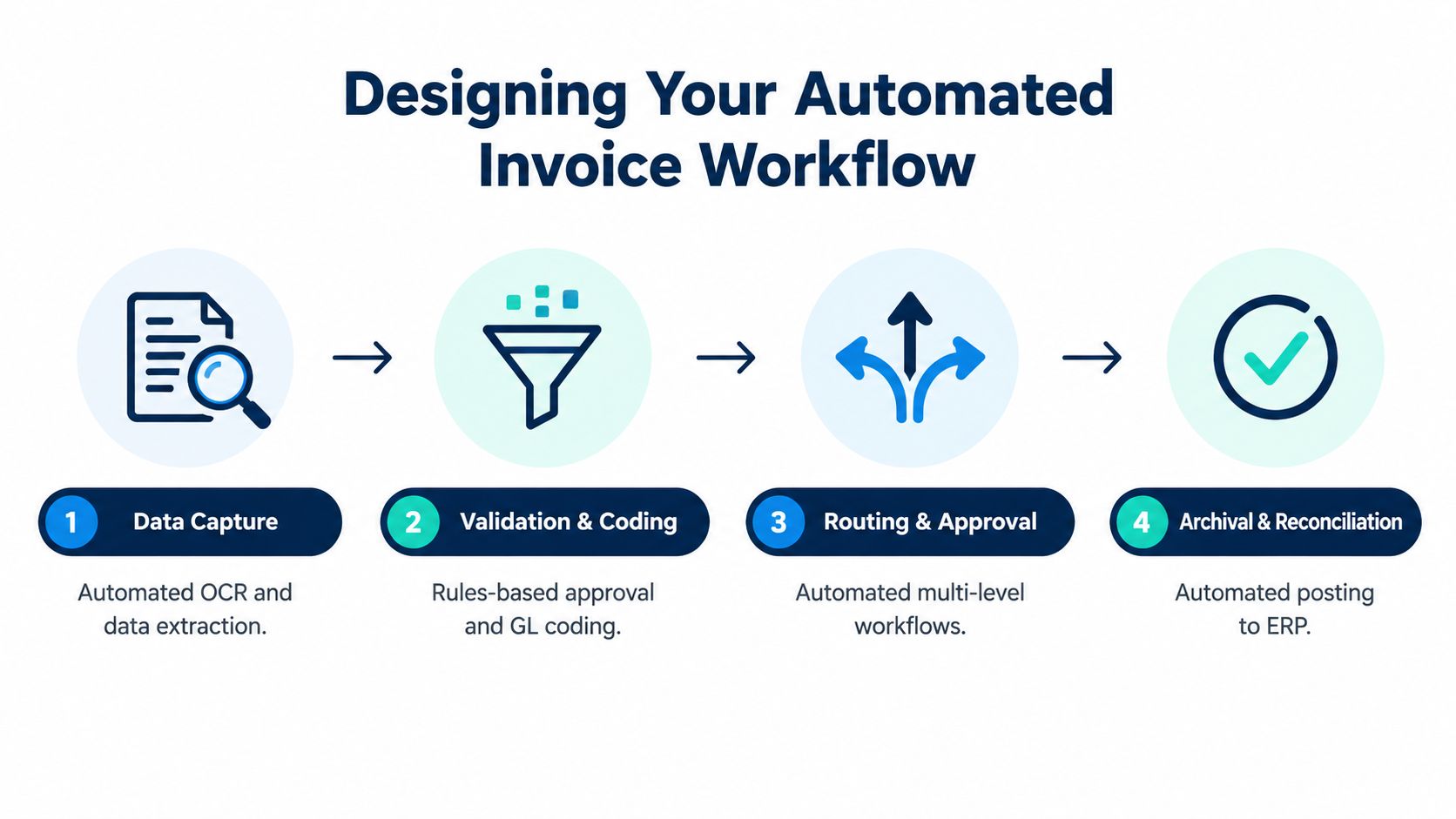
Match and route it for approval. Use two-way or three-way matching where appropriate. A purchase invoice may need to agree with the purchase order and recorded receipt. Let standard matches proceed automatically, while missing documents or price differences go to the person who can resolve them.
Post, reconcile, and archive. After approval, send clean data to the accounting or ERP ledger. Reconcile payment against the invoice and bank activity, then retain the invoice and supporting documents in a searchable audit trail.
Why straight-through processing matters
Digitizing a PDF does not change the operating model if an employee still checks every invoice, retypes values into the ledger, and emails an approver. Capture should reduce the number of manual decisions after intake, not merely improve document storage.
Benchmark summaries place best-in-class touchless processing at around 35% or higher, compared with closer to 25% for average organizations, as reported in the AI accounts payable automation benchmarks. Use that comparison to ask which invoices can complete without intervention. A system that reads every document but routes every transaction manually has limited value.
Connect finance with purchasing, inventory, projects, and sales wherever the records overlap. An existing purchase order should supply context to the invoice instead of forcing someone to recreate it. A completed project should also provide the data needed for an outbound invoice, payment status, and later reconciliation. Businesses handling international suppliers can review the process guidance on how to automate vendor invoices for exporters.
Zynthoro brings invoicing, reconciliation, accounting, and operational workflows into one ERP-style workspace. For a solo founder starting with a narrow operating scope, Starter No Credits is listed as a Starter offering with basic planning and time tracking, basic content and communication, one company workspace, one user, one email, and three aliases. It has no ERP, so it should not be treated as an invoice automation configuration for a growing finance operation.
Implementing Capture and Approval Rules
Automation only improves control when the rules around it are clear. Otherwise, it moves incomplete supplier data through a faster process and creates more work for finance.
Start with the input. Ask suppliers to provide a consistent legal name, invoice number, invoice date, due date, purchase order reference, tax information, currency, line details, and payment details. Keep supplier records current and prevent duplicate profiles where the system allows it. OCR can extract a value, but reliable master data is needed to confirm that the value belongs to the right supplier account.
Set rules for ordinary invoices
Validation should answer practical questions before an invoice reaches an approver:
- Required fields: Stop invoices that lack key identifiers or totals.
- Supplier status: Confirm that the supplier exists and is approved for use.
- Duplicate indicators: Compare the supplier, invoice number, date, and amount with existing records.
- Purchase order matching: Compare the supplier, purchase order lines, quantities, prices, and received goods or services.
- Coding suggestions: Apply known ledger, project, department, or cost-centre rules, while allowing a reviewer to correct them.
A three-way match works when the business has a purchase order and a receipt. It gives the system a defined basis for deciding whether a routine invoice can proceed. For invoices without a purchase order, require coding and approval from the responsible department instead of routing every bill to the owner.
Route exceptions instead of everyone
Approval thresholds should reflect risk and responsibility. A correctly matched routine invoice can follow a standard route. An invoice with a missing purchase order, an unfamiliar supplier account, an unmatched quantity, or a material price difference should go to the person who can resolve that particular issue.
Set reminders and escalation paths so invoices do not disappear in email threads. Zynthoro's embedded AI assistants can support validation and workflow follow-up inside the wider business workspace. People still remain responsible for judgment, supplier clarification, and financial control.
The common mistake is automating capture while leaving purchasing disconnected. That creates recurring mismatches between purchase orders, receipts, supplier records, and accounting entries. The practical goal is a connected workflow that prevents errors at intake, routes only genuine exceptions, and preserves an audit trail through approval and payment.
For operating procedures, approval ownership, and control ideas, an SMB accounts payable playbook can help owners document responsibilities before configuring the workflow. This preparation matters when supplier currencies, tax details, and supporting documents must later support cross-border compliance.
Automating Outbound Invoices and Payment Chasing
Payables automation protects the money leaving the business. Receivables automation keeps money coming in.
Consider a small digital agency managing several client projects. In a disconnected setup, the project manager marks work complete in a project tool, the account lead checks a spreadsheet, and the owner creates an invoice manually in a separate application. The invoice may be sent late, reminders depend on memory, and the sales team may not know that a customer has gone overdue.
A connected workflow changes the sequence. When the project record reaches completion, the system can use the agreed customer, work description, rate, tax treatment, and payment terms to prepare the invoice. The responsible person reviews it, the platform sends it electronically, and the receivable becomes visible in the finance workspace.
Make chasing a controlled process
Payment reminders shouldn't rely on someone noticing an ageing balance. Configure a polite sequence based on the invoice status and due date:
- Before the due date: Send a clear reminder with the invoice and payment details.
- After the due date: Notify the customer that the balance remains open and provide a simple route for questions.
- For persistent overdue accounts: Alert the account owner or sales lead so the commercial relationship can be handled deliberately.
The finance team should see whether the customer opened the communication, disputed the invoice, promised payment, or hasn't responded. Sales should receive an alert when an account needs relationship support, not discover the issue during a later renewal conversation.
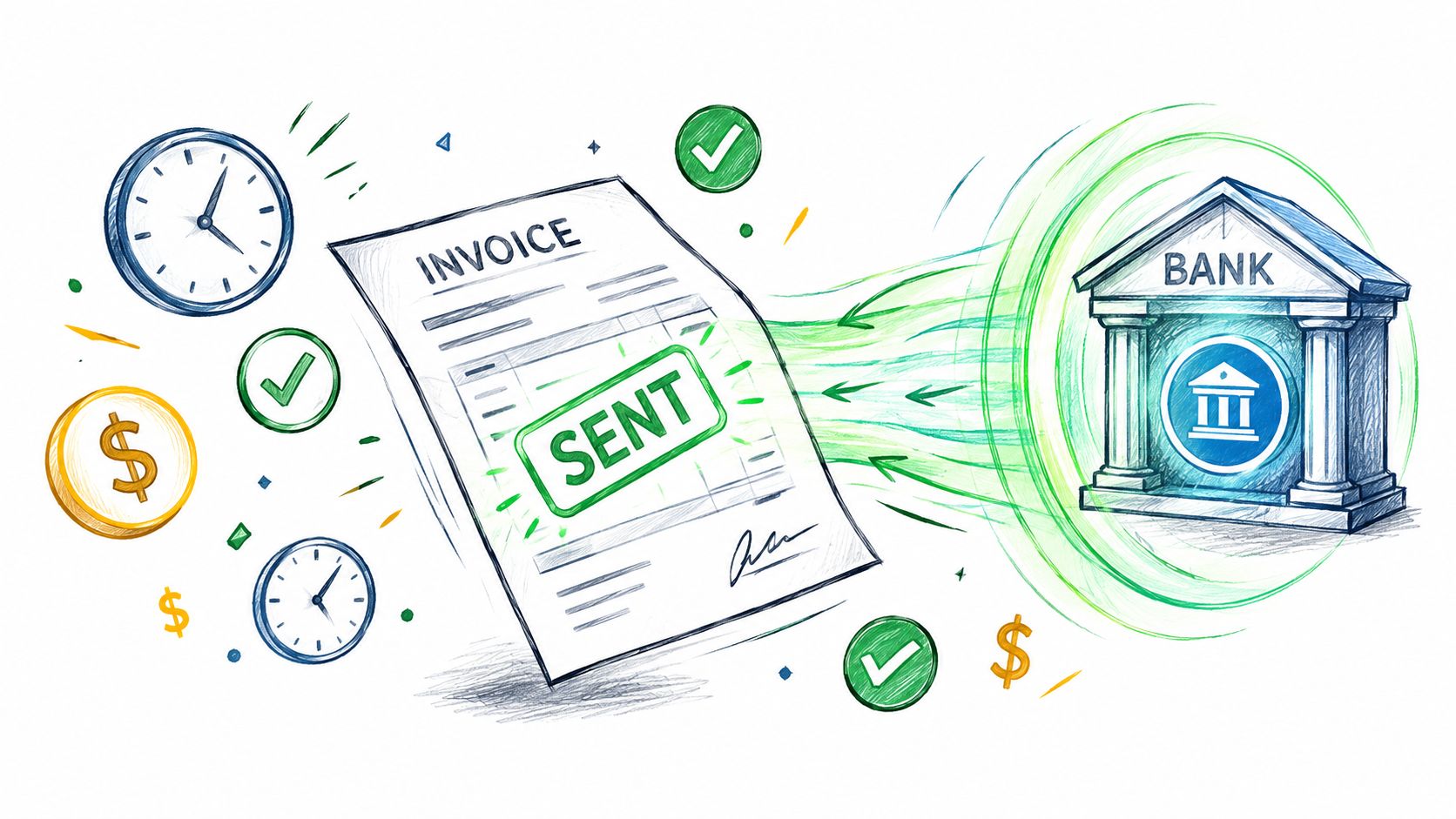
Reconciliation closes the loop. When payment activity is connected to the invoice and ledger, the team doesn't need to mark paid invoices manually across separate tools. The agency owner can review open receivables, cash expectations, and customer communication from the same operational record.
A benchmark reports that manual approval cycles commonly take 10 to 20 days, while automated workflows can complete the process in 2 to 3 days, as outlined in this manual versus automated invoice flow analysis. The improvement comes from connected reminders, visible ownership, and fewer handoffs, not from sending more aggressive emails.
Measuring Success and Handling Exceptions
A useful dashboard shows whether automation is removing work or only moving it out of sight. Track measures that connect staff effort with cash flow and control quality.
| Metric | Average Performance | Best-in-Class Target |
|---|---|---|
| Average invoice cycle time | 10.9 days | 3.1 days |
| Processing cost per invoice | $10.89 | $2.78 |
| Touchless processing rate | Around 25% | Around 35% or higher |
| Exception rate | Around 14% | Single digits, with some benchmarks at about 9% |
The cycle-time and processing-cost figures come from published automation benchmarks, while touchless and exception comparisons are covered in AP automation benchmark research. Use these figures as reference points, not promises. Results depend on invoice formats, approval complexity, supplier discipline, and the quality of accounting data.
Build an exception queue
Keep exceptions outside the standard flow. Classify each case, assign an owner, set a response deadline, and record the resolution. That record turns recurring errors into workflow improvements.
- Data issue: Correct supplier or invoice information before posting.
- Matching issue: Check the purchase order, receipt, quantity, and price.
- Approval issue: Confirm the responsible person and escalation route.
- Compliance issue: Hold the transaction until tax or jurisdiction requirements are satisfied.
Exception ownership should be visible in the ERP, not buried in email threads or separate spreadsheets. Finance can then distinguish a genuine supplier problem from a broken internal rule.
Review patterns on a set schedule. Repeated mismatches from one supplier may require corrected supplier setup or purchasing instructions. Delays from one department may call for revised delegation rules. Human judgment belongs at defined decision points, while routine invoices should continue through the connected workflow without manual handling.
Preparing for Cross-Border Compliance and Growth
International invoicing creates operational friction that OCR cannot resolve. SMEs must connect systems, support country-specific formats, protect personal data, manage residency requirements, and apply different approval rules across entities. Disconnected tools turn each change into manual reconciliation.
Research on mandated e-invoicing markets identifies technology integration as the top pain point for 55% of businesses and 63% of multi-country sellers. Half of respondents also raise data security and privacy concerns. Businesses selling in multiple mandated countries automate about 60% of their e-invoicing processes on average, according to the Vertex e-invoicing research report. The operational lesson is clear: cross-border automation needs controls across the full workflow, from intake through posting and reporting.
The EU's ViDA framework should shape planning for SMEs trading across borders. From 1 July 2030, intra-EU B2B transactions are scheduled to require structured electronic invoices, and buyer acceptance is scheduled to no longer be required for intra-EU B2B supplies, according to this ViDA VAT framework overview. Prepare structured invoice data, audit trails, VAT rules, and access controls before those requirements affect daily processing.
Zynthoro provides an EU-hosted, GDPR-ready workspace connecting finance, invoicing, accounting, operations, and compliance. A unified ERP keeps transaction data and controls together as country rules and business volume change.
Zynthoro connects invoice intake, approvals, outbound billing, reconciliation, accounting, and operational records in one AI-native ERP workspace for SMEs. Visit Zynthoro to assess whether it can replace disconnected tools and improve control over cash flow and compliance.